
Assign the right tech with the right parts
Schedule service orders, assign technicians and vehicles, and dispatch crews who show up with the parts each job actually needs. GenLedge treats every van as its own stock warehouse, so restock planning reads upcoming work and tops up the truck before the tech rolls out.
Every vehicle tracks its own stock
Default restock planning horizon
Grab-and-go van load and offload
Handover trail on every reassignment
Explore Scheduling and Dispatch
Everything below is a working part of the platform. Pick a capability to see what it does.
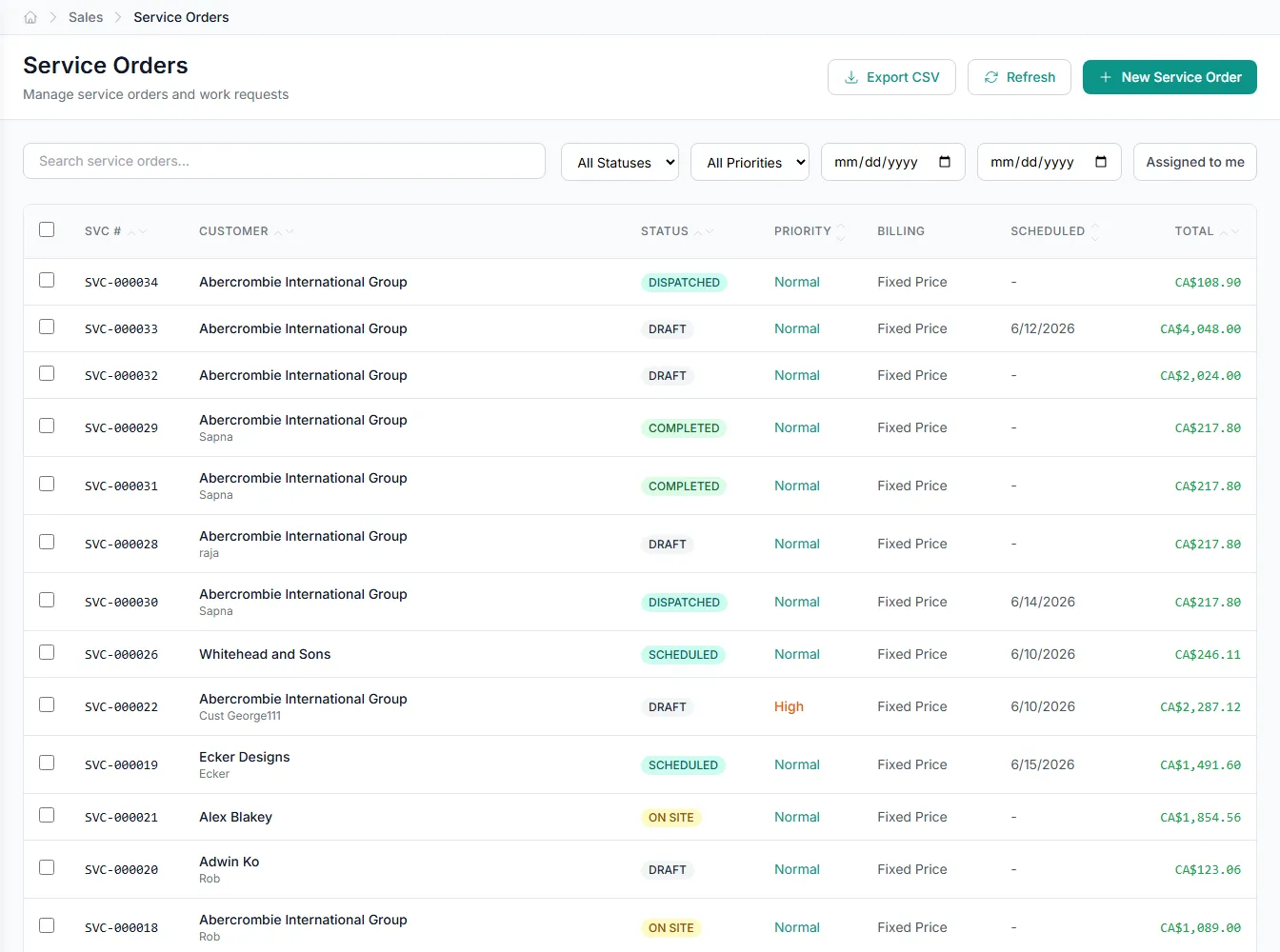
Schedule service orders by date, priority, and tech
Every service order carries a scheduled date, a priority, and the technician going to site. Schedule work at the order header or on individual lines.
- Scheduled date on the order and each line
- Priority flags surface urgent jobs first
- Assign the technician who travels to site
- Workflow status tracks each job's stage
Arrive with the parts the job needs
Dispatching a tech is only half the problem. They also have to show up with the right parts. GenLedge ties scheduling, assignment, and van stock together so each van is stocked for the work that's actually booked. Fewer return trips, fewer "we'll have to order that" moments.
- Restock reads the tech's upcoming service orders
- Only internal-stock lines drive van demand
- Min/max thresholds top the van back up
Every van is a warehouse you can count
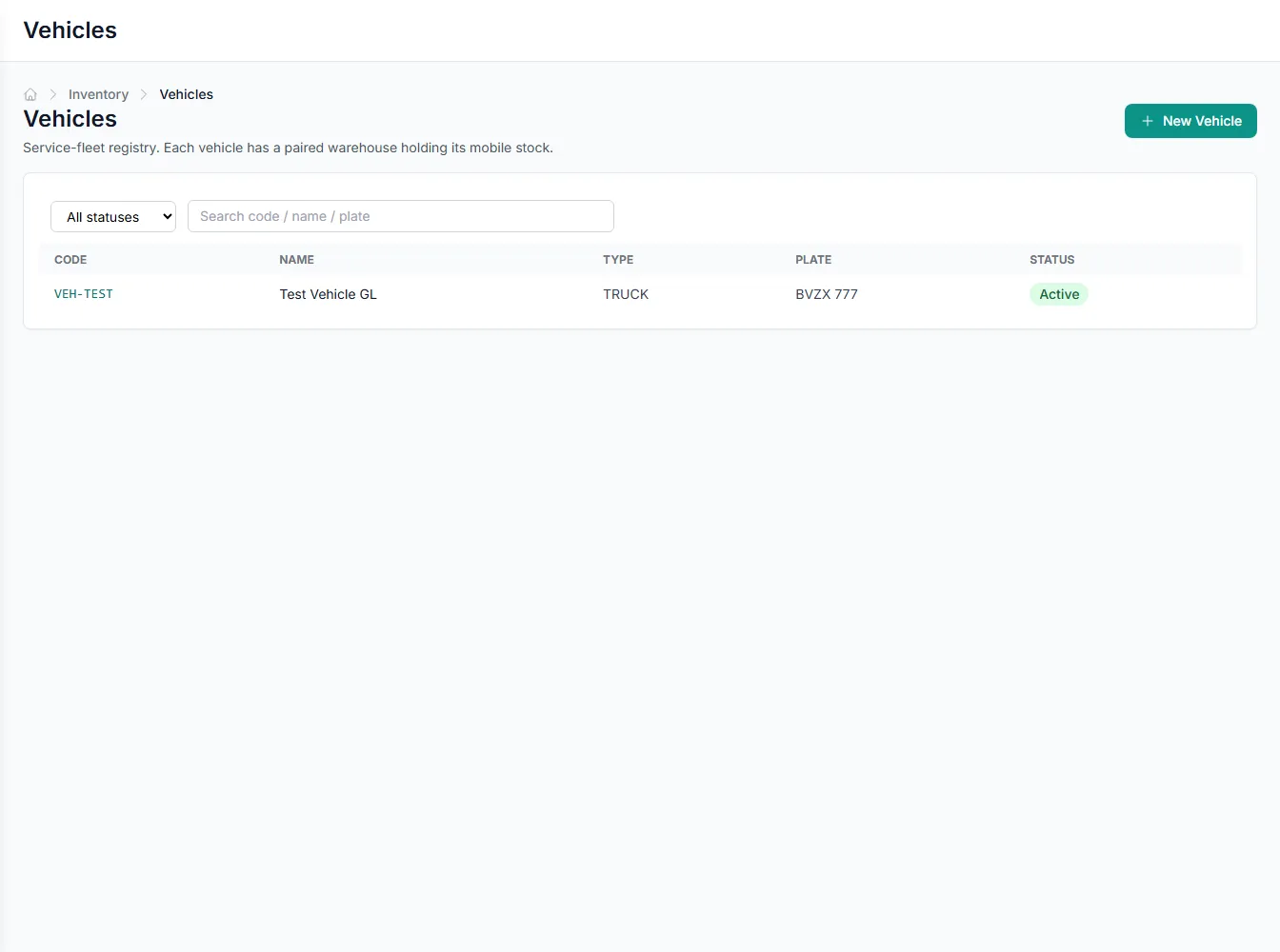
Because each vehicle is paired one-to-one with its own warehouse, van inventory is tracked stock, not a guess. Loads, offloads, and restocks all post as real transfers, so on-van quantities stay accurate. That's the foundation the planner and stock requests build on.
- Vehicle stock lives on a paired warehouse
- Loads and offloads post as costed transfers
- On-van on-hand feeds the restock planner
Handovers that hold up to an audit
Vans change hands between shifts and technicians. Every assignment and handover is recorded, so there's always one active driver per vehicle and a full history behind it. Choose how stock follows the handover: stay on the van, or transfer back to main.
- One active driver per vehicle, enforced
- Full handover history kept per vehicle
- Stock stays on the van or returns to main
Built into Scheduling and Dispatch
Scheduled dates
Book each service order and line for a specific date.
Technician assignment
Assign the person who travels to site for each job.
Vehicle fleet
Track vans, trucks, cars, and trailers with plates and capacity.
One-step van transfers
Load and offload van stock as direct, costed moves.
Tech stock requests
Let technicians request parts without opening a work order.
Restock planning
Propose van top-ups from upcoming demand and min/max levels.
Integrates with your existing tools


Questions about Scheduling and Dispatch
The restock planner reads the service orders scheduled for the vehicle's technician within a set horizon (7 days by default) and adds up the internal-stock parts those jobs need. It compares that demand and the van's min/max levels against what's already on board, then proposes a top-up. You review the plan before it becomes a transfer.
See Scheduling and Dispatch on your own data
Book a free AI workshop and we'll set up a sandbox with your real data so you can judge it for yourself, before you commit to anything.