
ERP implementation for small business: a step-by-step path to go-live without the chaos
A growing small business that has outgrown its QuickBooks or Xero setup knows it needs a real ERP. But the thought of an ERP implementation for small business can freeze the finance team. The fear is real: a botched rollout can stall billing, payroll, or month-end close. It does not ...
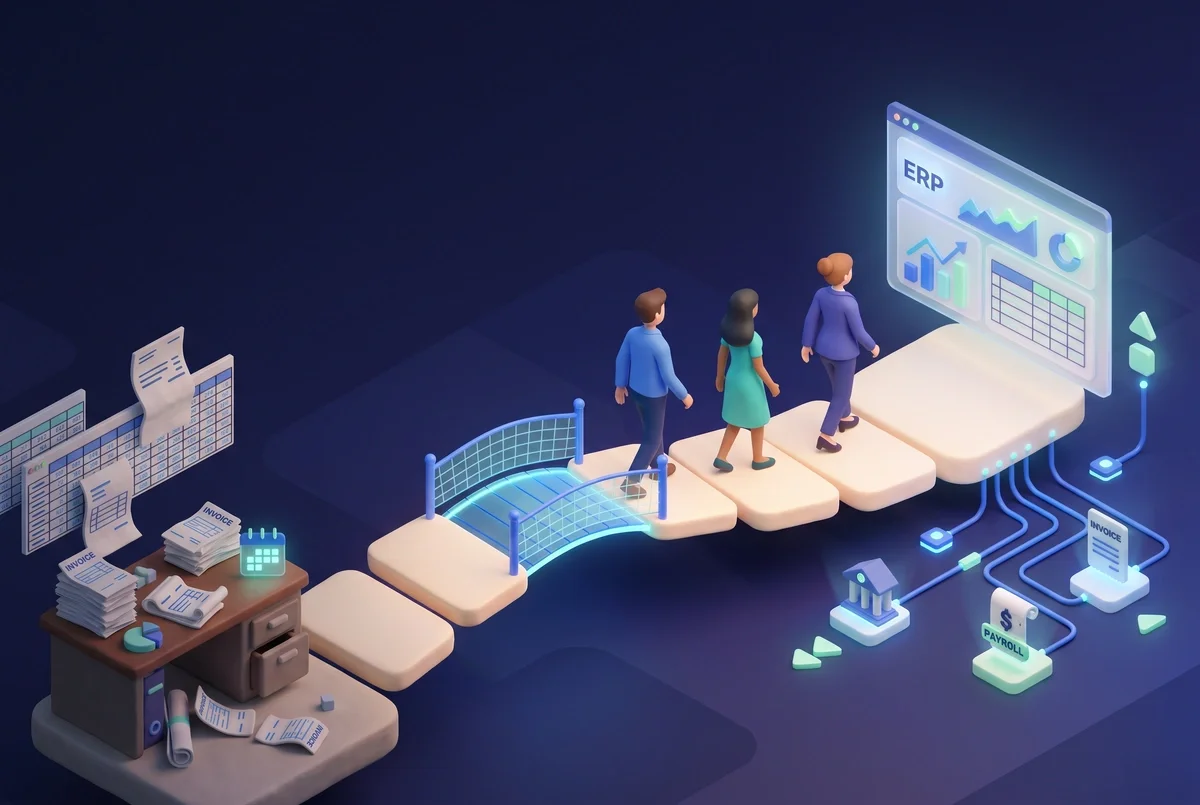
A growing small business that has outgrown its QuickBooks or Xero setup knows it needs a real ERP. But the thought of an ERP implementation for small business can freeze the finance team. The fear is real: a botched rollout can stall billing, payroll, or month-end close. It does not have to go that way. A staged path (planning, data migration, training, go-live support, and ongoing updates) lets a small finance team switch systems without shutting down daily operations.
Book a free workshop to see how a partner removes the guesswork by building a live demo on your own data before you commit.
What is ERP implementation for small business?
ERP implementation for small business is the process of moving a growing company's finance operations onto an enterprise resource planning system. It covers planning, data migration, user training, go-live, and ongoing support and updates. Done in stages, it lets a small finance team switch systems without shutting down billing, payroll, or reporting.
ERP implementation is not buying software. It is the migration, training, and change work that decides whether the system actually runs. For a small business, that means pulling the core finance workflows out of disconnected spreadsheets or entry-level tools and threading them through a single system that can scale. You do not just install an ERP; you move your financial life into it. If the process does not respect your live operations, chaos is only one missed step away.
Why small business ERP projects go off the rails
Small finance teams have no room for error. When an ERP project stalls, the business still has to pay suppliers, send invoices, and close the books. Three risks surface again and again.
Risk 1: Data migration breaks finance operations
Account balances, open invoices, vendor records, and historical transactions all have to move from the old system to the new one. If you skip a cleanup and mapping plan, the numbers land wrong. Duplicate suppliers, offsetting credits that lost their original invoice context, and reconciled entries that reappear as open items are common crash landings. The finance team ends up rebuilding the books by hand while the ERP sits idle, and that breeds distrust in the new system before it ever goes live.
Risk 2: Teams are trained too late
Training that starts on go-live day guarantees that the first weeks of billing and reconciliation will be error-prone. When a finance team does not know where to find a customer record or how to post a credit memo, every routine task turns into a support ticket. The team reverts to the old system just to keep cash moving, undoing the migration work.
Risk 3: Support ends at go-live
A go-live date is the start of steady operations, not the end of the project. Without a planned support and update cadence, small configuration changes, tax-rate updates, and workflow tweaks pile up. Month-end close becomes a patchwork of workarounds. Within a few quarters, the ERP that was supposed to simplify finance operations becomes the thing the team routes around.
The five-phase path to go-live without the chaos

These five phases turn an intimidating ERP implementation for small business into a controlled sequence. Every phase keeps the finance team running while the change happens around them.
Phase 1: Plan and scope before you touch data
Before any data moves, agree on exactly which finance workflows the ERP must run. List them: invoicing, accounts payable, accounts receivable, reconciliation, financial reporting. Ask the team what a clean month-end close looks like in the new system. Get sign-off on the scope. If a workflow is not named here, it will surface later as a surprise, and surprises during migration are expensive.
Planning also surfaces the connections the ERP needs: bank feeds, payment processors, payroll, CRM. A gap here means the go-live date arrives with a missing feed, and the team has to manual-journal entries into the system from day one.
Phase 2: Clean, map, and migrate your financial data
This is where chaos is usually born. Slow down here.
First, clean up old records. Close open periods in the old system so you are not dragging stale transactions forward. Remove duplicate customers and vendors. Reconcile outstanding items so the opening balances you carry into the ERP are true.
Second, map every field from the current system to the new ERP. A chart of accounts mapping is the minimum; you also need field-level mapping for invoice templates, payment terms, tax codes, and custom fields you rely on for reporting.
Third, run user acceptance testing (UAT) on the migrated data before cutover. Have a finance team member post a batch of invoices, run a payment run, and pull a trial balance. If the numbers do not match the old system exactly, you fix the mapping before you ever put the system in production.
Phase 3: Train your finance team before go-live
Schedule training while migration and UAT are still running. Train on real scenarios the team handles daily, not generic demo scripts. The person who does the weekly payment run should walk through that exact process in the new ERP. The person who reconciles the bank feeds should reconcile a test period with live-like data.
Build one or two internal champions. These are team members who get extra hands-on time and become the first line of help for others when go-live pressure hits. Change management in a small team is mostly about having a trusted peer who can say, "I have done this flow already; here is how it works."
Phase 4: Go live with a support net and a parallel run
If your business can support it, run the new ERP alongside the old system for a defined parallel period. A few weeks of dual running lets the team build confidence while the old system acts as a safety net. During that window, reconcile the outputs daily: sales totals, payables aging, receivables balances. If the numbers drift, you fix the process before the old system is switched off.
Before cutover, confirm a support path exists. That means a named person or team you can reach during the first few business days after go-live, not a generic ticket queue. The goal is to catch and resolve any issue before it touches a customer payment or a supplier due date.
If you are facing a go-live date and need a proven support net, talk to us about how GenLedge structures implementation so finance operations never stop.
Phase 5: Keep the ERP current with structured updates
ERP updates should be planned, tested, and scheduled so they never land on month-end close. Tax-table changes, compliance patches, and feature upgrades all follow that rule. A partner that handles migration, training, support, and updates as one bundled process removes that burden from a small team. Instead of tracking release notes and testing changes in a sandbox, the finance team stays focused on running the numbers.
How long does ERP implementation take for a small business?
The timeline depends on the complexity of your financial workflows and data. A small business with a clean set of records, a defined scope, and a dedicated project lead can move through the core phases in weeks rather than months, especially when a single partner bundles migration, training, support, and updates so workstreams overlap instead of waiting in a queue.
GenLedge's engagement model compresses the process by running data work and training in parallel and by supporting a parallel go-live that protects the finance team. The biggest variables are the state of your existing records and the number of integrations the ERP needs on day one, which is why scoping and data cleanup come first.
How to choose an ERP implementation partner for a small business
Not every partner is built for a small finance team. Look for four signals that the partner will protect your operations.
First, a defined process. You want a path that runs planning, migration, training, go-live support, and updates as a connected sequence, not a collection of loose services. Second, a live demo on your own data before commitment. That removes the risk of buying into a system that does not fit your actual workflows.
Third, bundled migration, training, support, and updates. A small team does not have the bandwidth to manage a vendor ecosystem. The partner should shoulder that weight. Fourth, experience with the tools your finance team already uses: QuickBooks, Xero, NetSuite, Sage Intacct, Dynamics 365, and the spreadsheets and banking feeds that feed them.
GenLedge follows that model: a clear path that starts with a free AI workshop and a live demo built on your own data, then moves into an ERP implementation that bundles migration, training, support, and updates under one roof. View pricing to see how it scales for a business your size.
Frequently asked questions about ERP implementation for small business
Do small businesses really need ERP?
When a business has outgrown its accounting tool, when it is running month-end close in spreadsheets, manually consolidating data from multiple systems, or losing visibility into payables and receivables, an ERP becomes the foundation that lets the finance team scale. It replaces disconnected workflows with one system that runs invoicing, payments, reconciliation, and reporting in a single thread.
What is the difference between ERP software and ERP implementation?
ERP software is the platform. ERP implementation is the work that migrates your financial data, trains your team, and connects the system to your live operations. Buying the software without a deliberate implementation plan is the fastest way to stall day-to-day finance.
How much data cleanup is needed before an ERP migration?
Plan to close old periods, remove duplicates, reconcile outstanding items, and verify that your ending balances actually tie to your bank accounts and subledgers. The cleaner the data that enters the new ERP, the fewer manual corrections the team will face after go-live.
What is a parallel run during ERP go-live?
A parallel run means running the new ERP alongside the old system for a defined period, typically a few weeks, while you compare daily outputs. It gives the finance team a safety net and catches mapping errors before the old system is turned off.
Who should be trained before a new ERP goes live?
Every person who touches a finance workflow should complete role-specific training before go-live, using scenarios that mirror their actual daily tasks. Designating one or two internal champions who receive extra hands-on time creates a support layer inside the team itself, reducing pressure on the formal support process during the first weeks.
How much does ERP implementation cost for a small business?
Costs vary by scope, data complexity, and the level of bundled support. A partner that packages migration, training, go-live support, and updates into a single engagement removes the surprise of unbundled change orders. Expect the price to scale with the number of finance workflows and integrations in scope rather than with headcount alone.
Move to a new ERP without the chaos
A small business can switch systems without stopping operations. Plan the workflows. Clean and map the data. Train the team on real scenarios. Go live with a parallel run and a support net. Then keep the system current with structured updates. When those steps run as a connected sequence, the finance team never has to choose between closing the books and keeping the lights on.
Book your free workshop to start your staged ERP implementation with a live demo built on your own data.
See GenLedge on your own data
Book a free AI workshop and we'll set up a sandbox with your real data so you can judge it for yourself, before you commit to anything.