Close the books faster: on judgment, not data entry
GenLedge does the month-end busywork in the background: coding transactions, checking entries before they post, tying out subledgers, and scanning the trial balance for anything off. By the time you sit down, the books are staged and the only thing left is your judgment. You stay in control: exceptions come to a person, and every step is recorded.
Judgment work, not data entry
Subledgers agree before you look
Trial balance reviewed for anomalies
Every task and entry tracked
What happens, step by step
Here's how a period goes from closed to ready, with the busywork already done.
- 1
The period ends
The moment the period closes, GenLedge starts the close work in the background.
- 2
Subledgers tie out
Subledgers are reconciled to the ledger so you begin with everything in agreement.
- 3
Entries coded and checked
Transactions are coded to the right accounts and every entry is validated before it posts.
- 4
Trial balance reviewed
The trial balance is scanned for anomalies so surprises surface early, not after.
- 5
Close tasks tracked
Each close task is checked off on a running list, so nothing gets missed.
- 6
The books are ready
You sit down to review and sign off instead of chasing numbers.
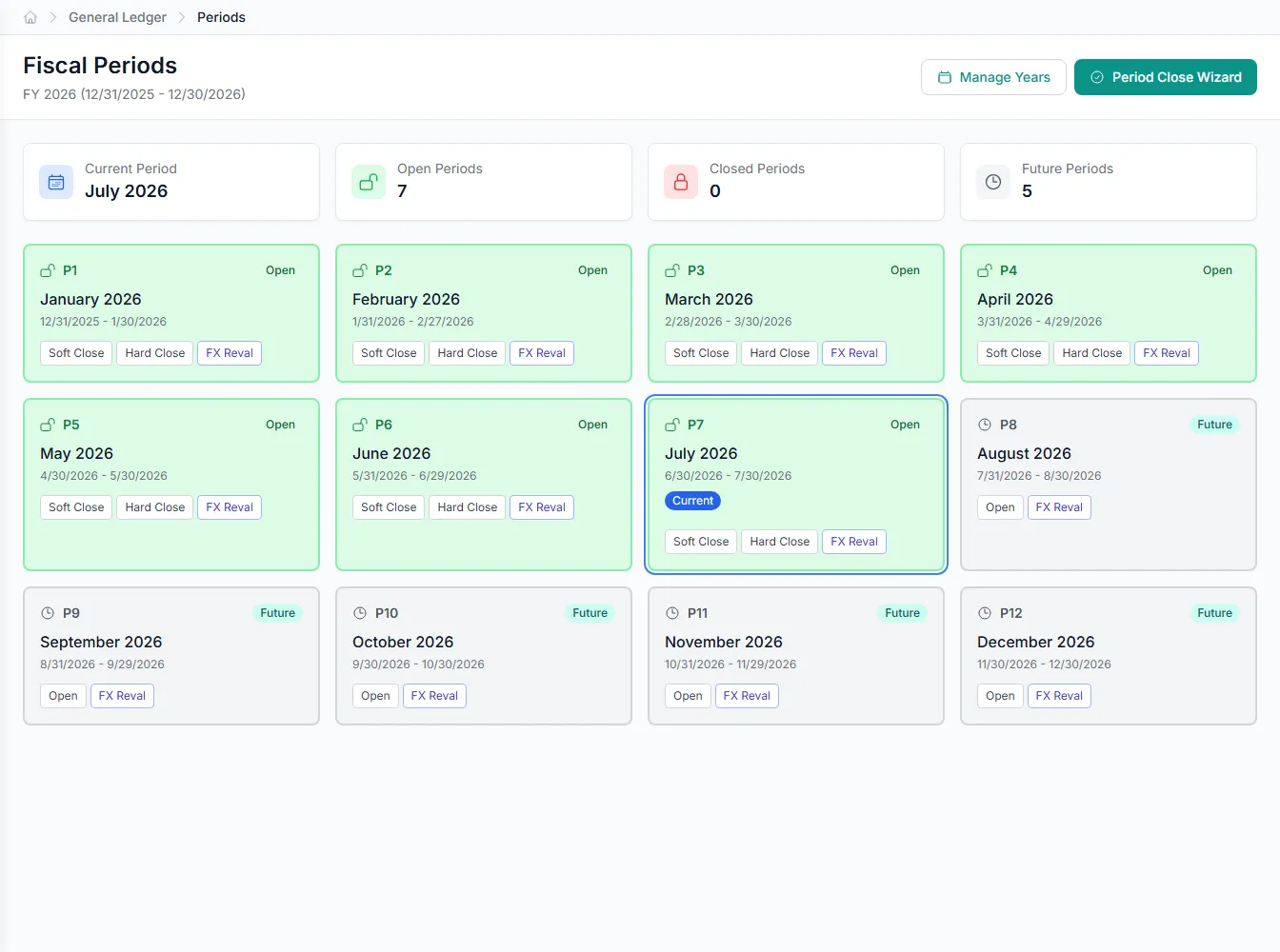
Inside financial close
Pick an area to see what the automation handles for you.
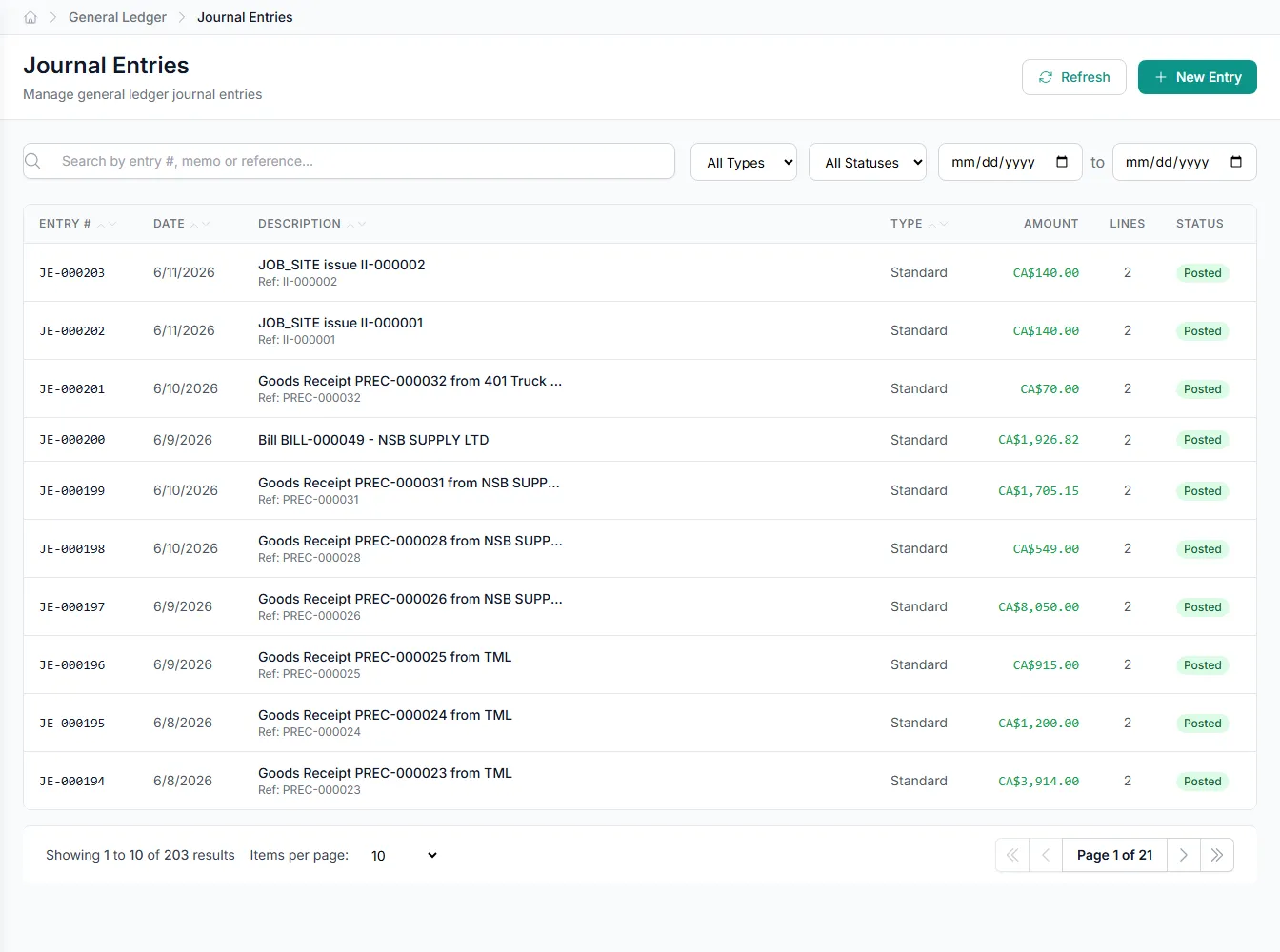
Transactions coded to the right accounts
GenLedge reads each transaction and codes it to the right account, so the ledger fills in correctly without manual keying.
- Transactions coded to the right accounts automatically
- Consistent coding across every period
- Unusual items routed to a person
- Every coding decision recorded
Every close task, tracked in one place
GenLedge keeps a running checklist of every close task and checks items off as the work gets done. You can see what's finished, what's waiting, and what needs a person, without chasing status in email or spreadsheets.
- Every close task on one running checklist
- See what's done, waiting, or blocked
- Nothing falls through the cracks
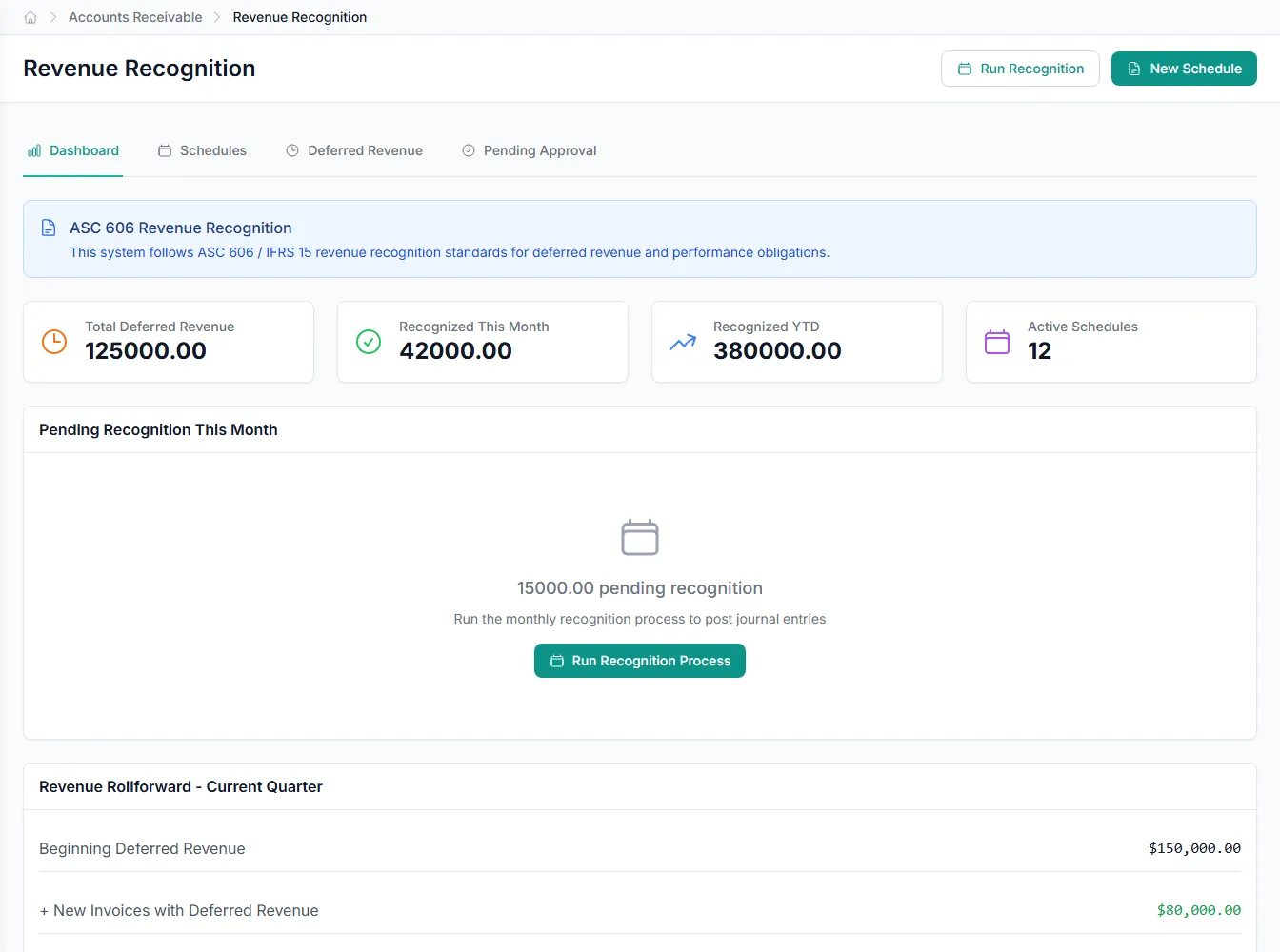
Revenue recognized on schedule
GenLedge schedules revenue recognition so the right amounts land in the right periods, without someone tracking every schedule by hand. Entries are drafted for you and held for review, so timing stays accurate as deals change.
- Revenue scheduled to the right periods
- Recognition entries drafted and held for review
- Timing stays accurate as deals change
You stay in control, and everything is recorded
GenLedge handles the repetitive close work in the background, but nothing important happens without you. Exceptions and judgment calls come to a person, and every action is recorded, so you can always see what happened and why.
- Exceptions and judgment calls come to a person
- Nothing posts without sign-off
- Every action recorded for audit
Powerful automation, fully under your control
Robust, secure, private, and transparent, so you get the speed of automation without giving up oversight.
You stay in control
The automation does the busywork; your team approves the decisions that matter. Nothing important happens without a person's sign-off.
Everything is on the record
Every action is captured and explainable, so month-end and audits are a lookup, not a scramble.
Your data stays yours
Your information is isolated to your business, encrypted, and never used to train anyone else's systems.
Robust and always on
It runs around the clock with the checks and safeguards to keep your books accurate and your work moving.
Integrates with your existing tools


Questions about financial close
No entry posts without a person's sign-off. GenLedge codes, drafts, and checks entries in the background, then holds them for you to approve. You stay in control of what actually hits the ledger.
See financial close on your own work
Book a free AI workshop and we'll run it on a real workflow from your business, so you can see the value before you commit.