Finished work becomes an accurate invoice, on its own
The moment an order ships or a job wraps, GenLedge drafts the invoice with the right charges on the right lines and gets it out the door. It bills labor, materials, travel, and fees correctly, handles partial invoices and credit memos, and schedules revenue recognition as you go. You stay in control, and anything unusual comes to a person before it reaches the customer.
Invoices draft the moment work is done
Labor, materials, travel, and fees billed correctly
Adjustments and refunds handled without the back-and-forth
Recognition scheduled properly as invoices go out
What happens, step by step
From finished work to sent invoice, here is how billing runs itself.
- 1
Work wraps up
An order ships or a job finishes, and billing kicks off automatically.
- 2
Details captured
GenLedge reads shipped quantities, hours, materials, photos, and timesheets.
- 3
Invoice drafted
The right lines appear for labor, materials, travel, and fees.
- 4
Revenue scheduled
Recognition is timed correctly so your books stay clean.
- 5
Adjustments handled
Partial invoices and credit memos are prepared without manual rework.
- 6
Invoice sent
The finished invoice reaches the customer fast and accurate.
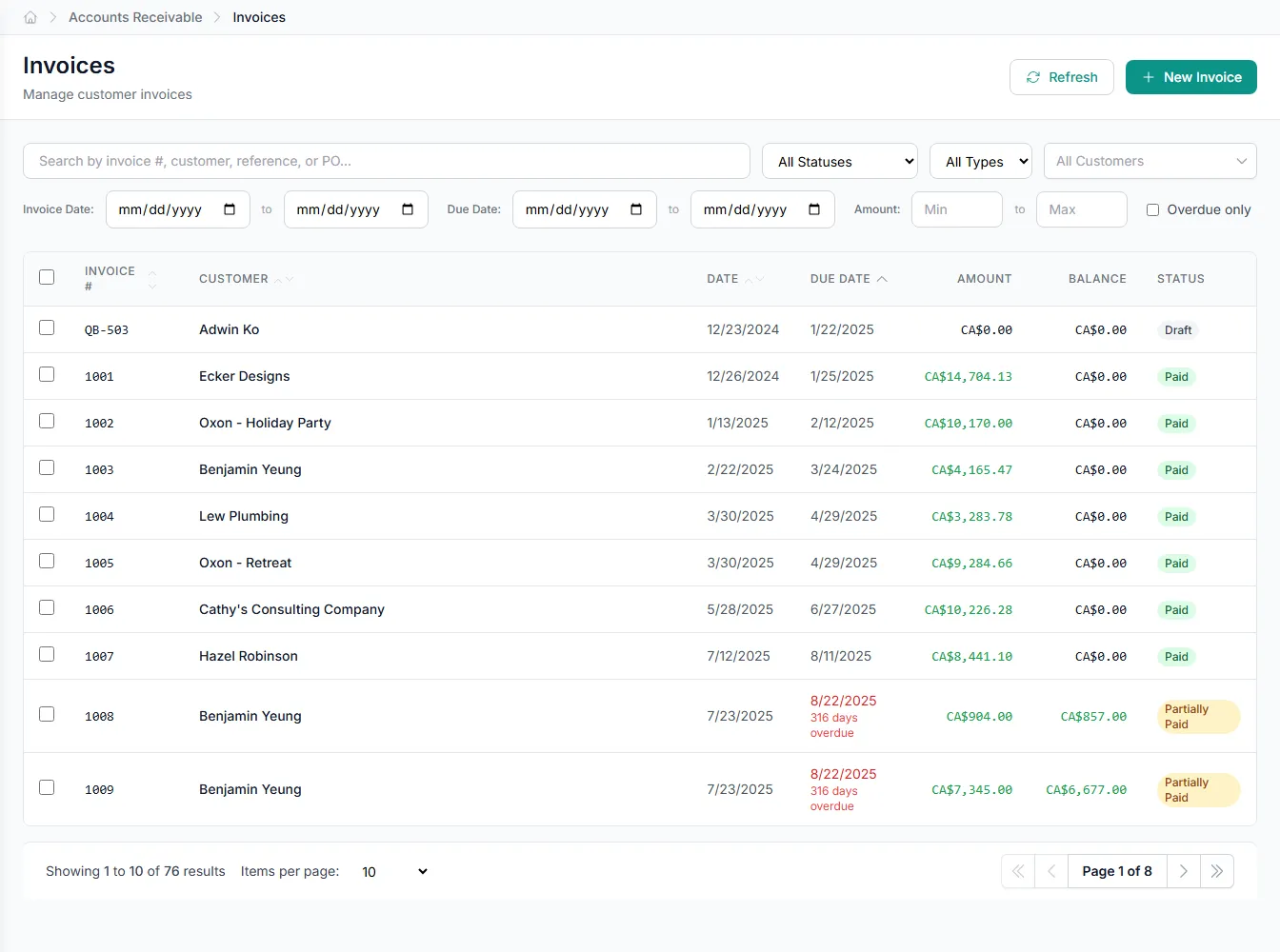
Inside billing & invoicing
Pick an area to see what the automation handles for you.
Invoices built from the work you actually did
GenLedge turns orders, time entries, and service records into invoices without anyone retyping them.
- Pulls from orders, time entries, and service records
- Drafts as soon as work is marked done
- No manual data entry to start billing
- Nothing bills until the job is complete
Accurate invoices, out the door fast
Work finishes and the invoice is already drafted, with the right charges on the right lines. No waiting for someone to gather details or retype an order. Customers get billed correctly while the work is still fresh.
- Bills the moment work is done
- Right charges, right rates, every time
- Less time between finishing and getting paid
You stay in control
GenLedge does the busywork, but the calls stay yours. Anything unusual, like an odd credit or a charge that does not match, comes to a person before it goes out. Everything is recorded, so you can always see how an invoice was built.
- Exceptions come to a human first
- Approve before anything reaches the customer
- Full record behind every invoice
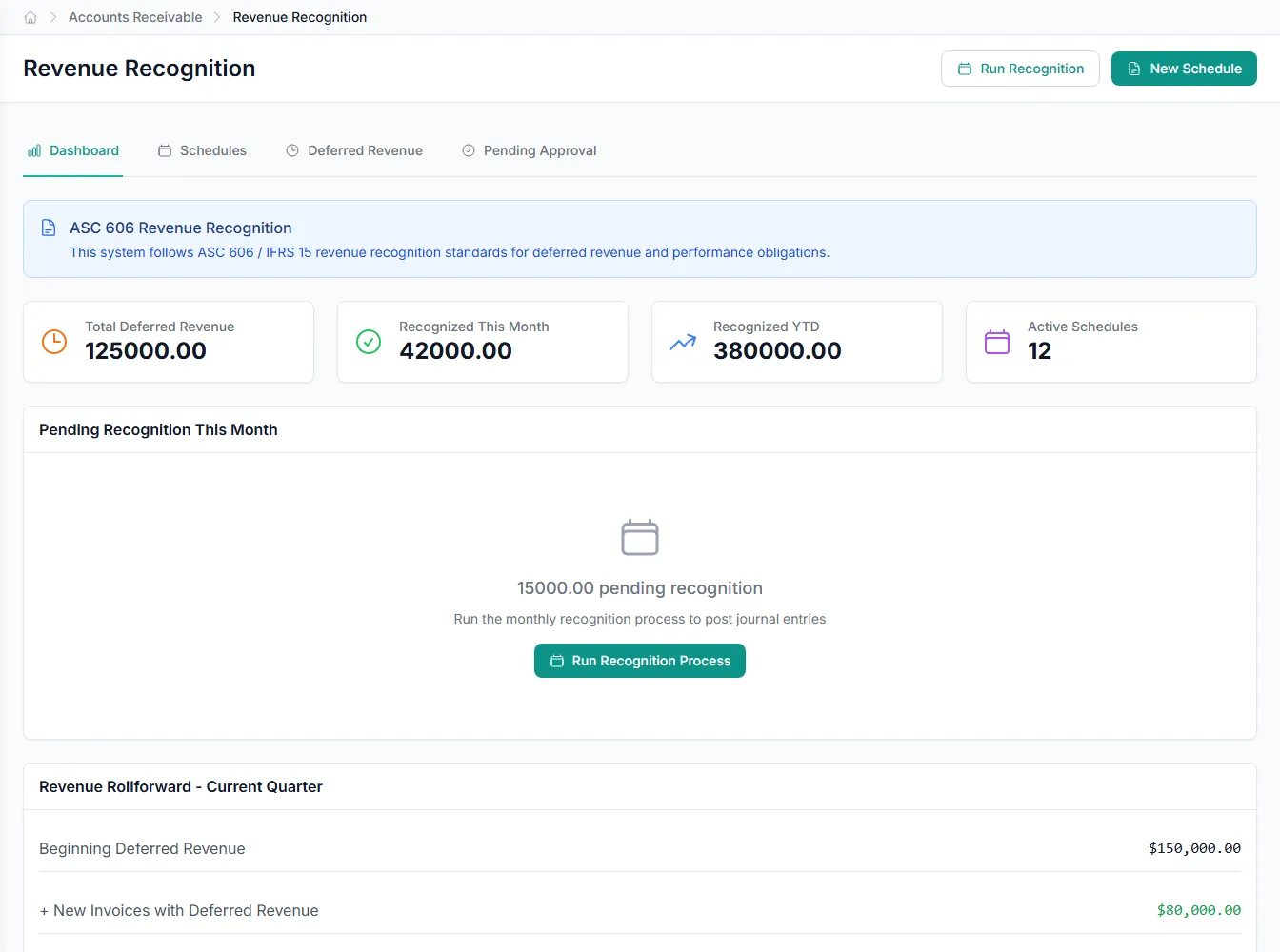
Books that stay clean
Revenue recognition is scheduled as you bill, so recognized revenue always matches delivered work. Partial invoices and credit memos are handled the same careful way. Your close gets easier because the numbers were right from the start.
- Recognition scheduled with every invoice
- Partials and credits kept accurate
- Less cleanup at close
Powerful automation, fully under your control
Robust, secure, private, and transparent, so you get the speed of automation without giving up oversight.
You stay in control
The automation does the busywork; your team approves the decisions that matter. Nothing important happens without a person's sign-off.
Everything is on the record
Every action is captured and explainable, so month-end and audits are a lookup, not a scramble.
Your data stays yours
Your information is isolated to your business, encrypted, and never used to train anyone else's systems.
Robust and always on
It runs around the clock with the checks and safeguards to keep your books accurate and your work moving.
Integrates with your existing tools


Questions about billing & invoicing
GenLedge reads your orders, time entries, and service records, along with completion documents like fulfillment records, timesheets, and field photos. It uses shipped quantities, hours, and materials to build each invoice line. You do not retype anything to get billing started.
See billing & invoicing on your own work
Book a free AI workshop and we'll run it on a real workflow from your business, so you can see the value before you commit.